


Import your manuscript
Open a Word document and Quill turns headings into organized book sections automatically.
Beautiful book formatting for every author
Quill turns your Word manuscript into a polished, store-ready ebook inside one calm, visual workspace. Import, style, preview, and export—without wrestling with complicated design software.
The whole book, in one view
Write or edit in the center, organize the book on the left, and watch the reader preview update on the right. No bouncing between programs. No guessing what the final file will look like.
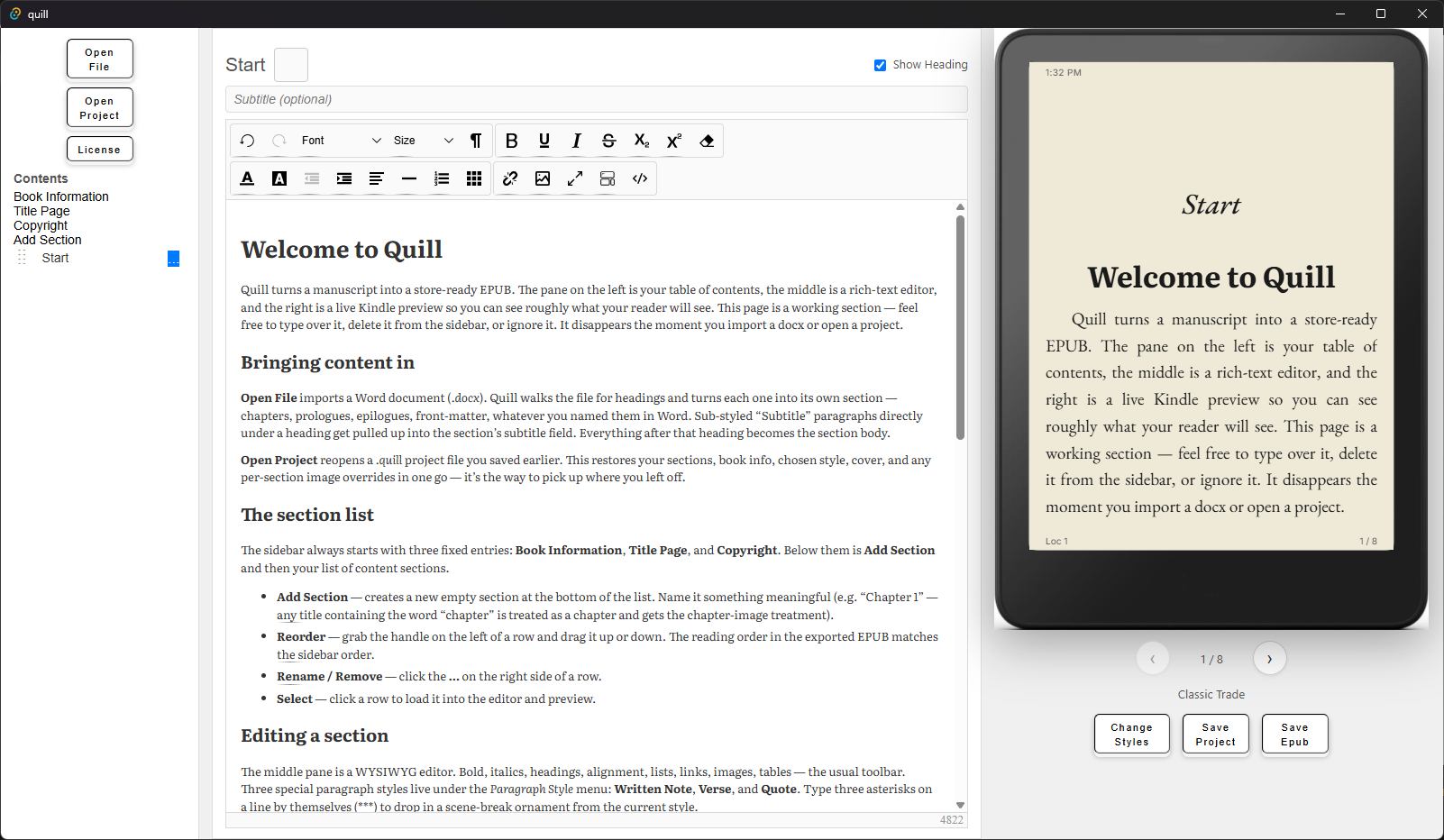
Open a Word document and Quill turns headings into organized book sections automatically.
Make changes inside a familiar rich-text editor with the tools authors actually need.
See the formatted ebook on a device while you work, page by page.
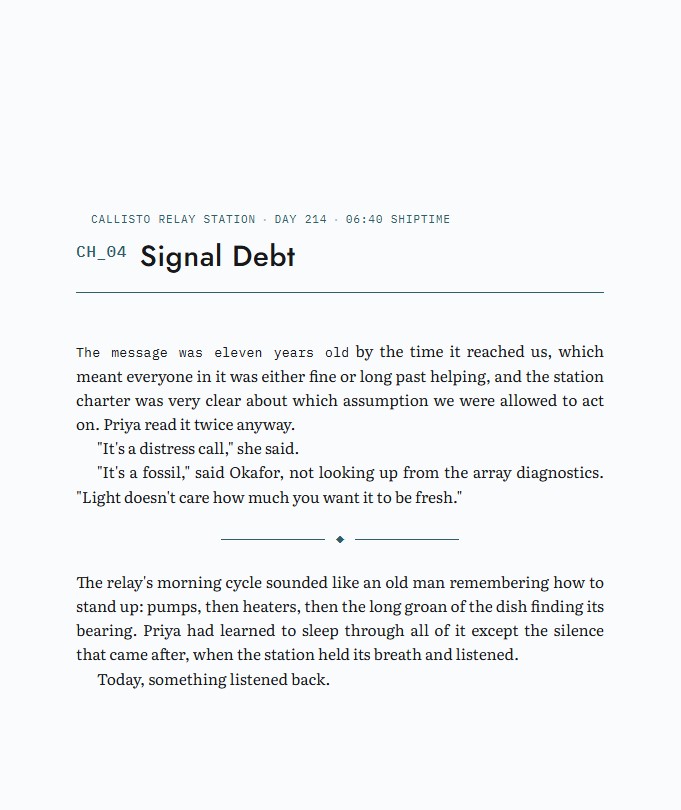
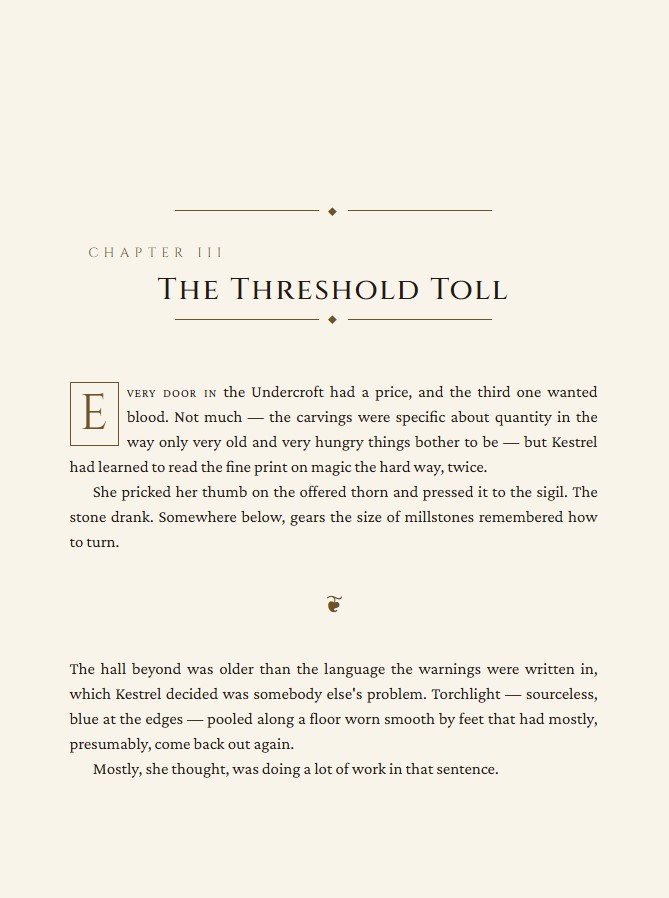
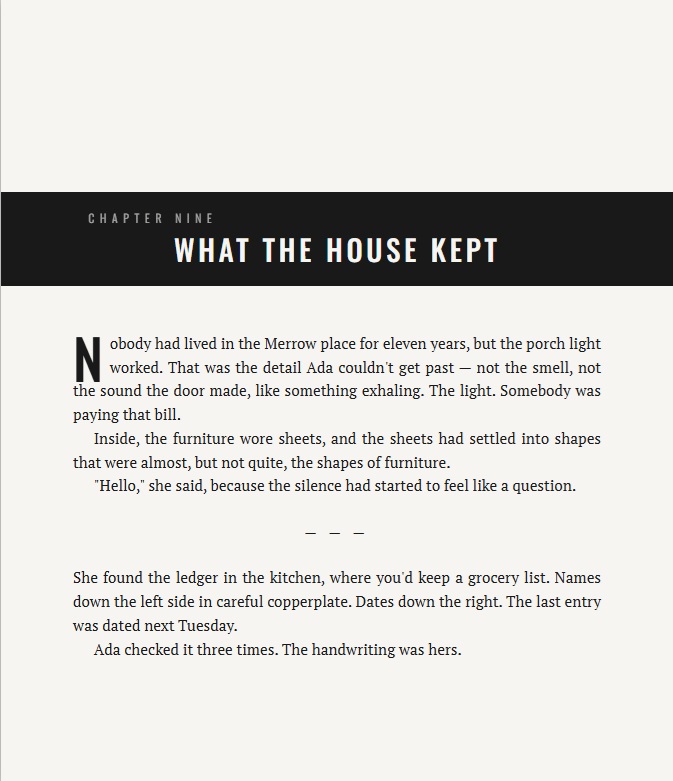
Built-in book styles
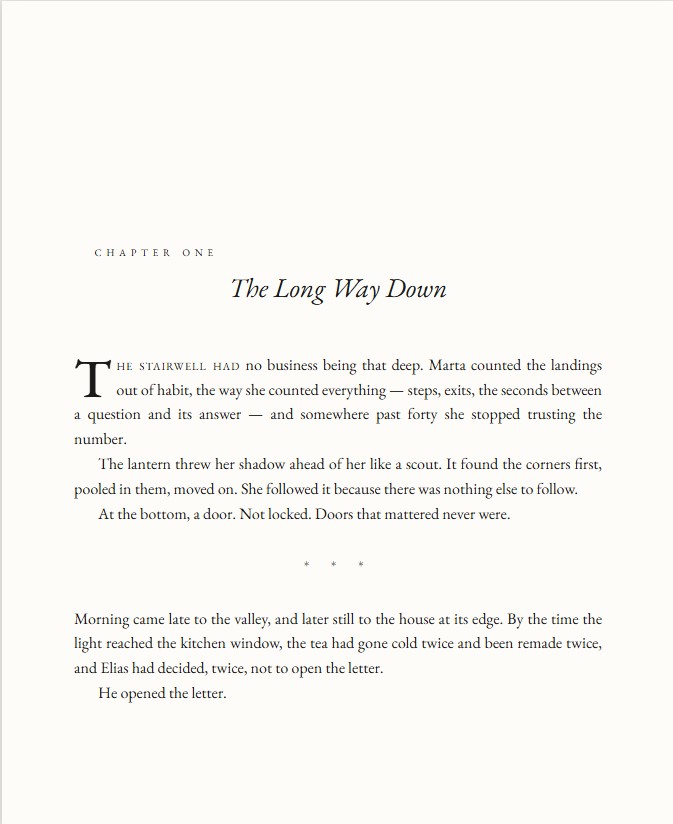
Start with a professionally designed template, then let Quill apply it consistently across the entire manuscript.
Streamlined on purpose
Quill is designed to feel approachable the first time you open it—while still handling the tedious details behind a professional ebook.
Bring in your .docx file, including headings, chapters, front matter, and back matter.
Apply chapter headings, drop caps, scene breaks, typography, and spacing in a click.
Move through the book exactly as a reader will see it while you edit.
Export a clean ebook file ready for your publishing platform.
Keep every section, style choice, cover, and override together in one Quill project.
Native desktop app for Windows, macOS, and Linux — same workspace, same project format, whichever machine you're at.
Why a free beta?
Quill already imports, edits, styles, previews, saves, and exports ebooks. Now we need real authors using it on real manuscripts so we can find the rough edges, learn which styles you want next, and make the workflow even better.
During beta, access is free. In return, we ask testers to tell us what works, what feels confusing, and what would make Quill indispensable.
I want to help test QuillJoin the free beta
We’re looking for authors on Windows, macOS, or Linux who are willing to test Quill with a real project and share honest feedback.
Already testing?
Bug, confusing moment, feature request, or unexpected delight—we want all of it. Specific details help us reproduce problems and improve Quill faster.
Questions, answered
Yes. Quill is free to use during beta testing. We’re asking for thoughtful feedback in exchange for early access.
Quill runs natively on Windows, macOS, and Linux. Detailed system requirements and installation instructions are included with your beta access.
The beta currently focuses on store-ready EPUB ebooks. Print formatting is part of the larger Quill vision, but testers should join based on the features available today.
No. Quill is designed for authors who want a polished result without learning professional page-layout software.
Your manuscript is opened and worked on through the desktop application. The feedback form only sends the information or screenshot you choose to submit.